 GuestLog in
 GuestLog in
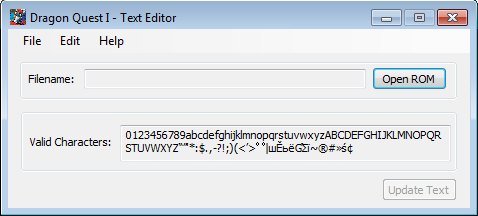
Dragon Warrior - Text Editor
Game : Dragon Warrior
Platform : Nintendo Entertainment System
Author : q8fft
Release date : 26 Apr 2017
Category : Script Extraction / Insertion
OS : Windows
Skill Level : Beginner
Version : 1.0
Downloads : 460
Utility description
Dragon Warrior - Text Editor allows the user to change Text data in Game.Reviews
| Really Cool! | darkesco | 2021-03-19 | Version 1.0 |
Awesome tool! I just learned how to pallet hack, then used your program to change the spells from HEAL and HURT, to LIFE and PAIN, as well as some others. Some items came over a little strange and I had trouble knowing which "Shield" or "Plate" belonged to which item, but seeing my changes in my Winter edition of Dragon Warrior was really cool. Thank you for making this as entry-level ROM hackers can see the effects and changes. It's inspired me to learn how to hack the text with the hex editor and your code helped me understand a lot. Again, thanks! You are awesome! | |||
| Decent but could use improvement | PolishedTurd | 2019-06-26 | Version 1.0 |
This is a handy tool for changing all of the in-game text. It conveniently organizes text by category, such as menu items, treasure chests, and speech. A few things I wish it could do: 1. Use all the allocated space for a block of text. By default, you must use no more than the number of characters you are replacing, even if there are several spaces (0x5F) until the next block of text. If you replace one text with a shorter text, when you open the program again to edit the same text, the shortened length is your new maximum length. 2. SEARCH for text. There are 9 separate screens of dialog to browse, and not all related dialog is on the same page. 3. Link and re-link text blocks, so characters can talk arbitrarily long but nobody's dialog gets obliterated. I understand this is more sophisticated than the raw text editing the program provides. Absent these features, I ended up using a hex editor for a lot of my changes, but this program was helpful to start with. | |||