 GuestLog in
 GuestLog in
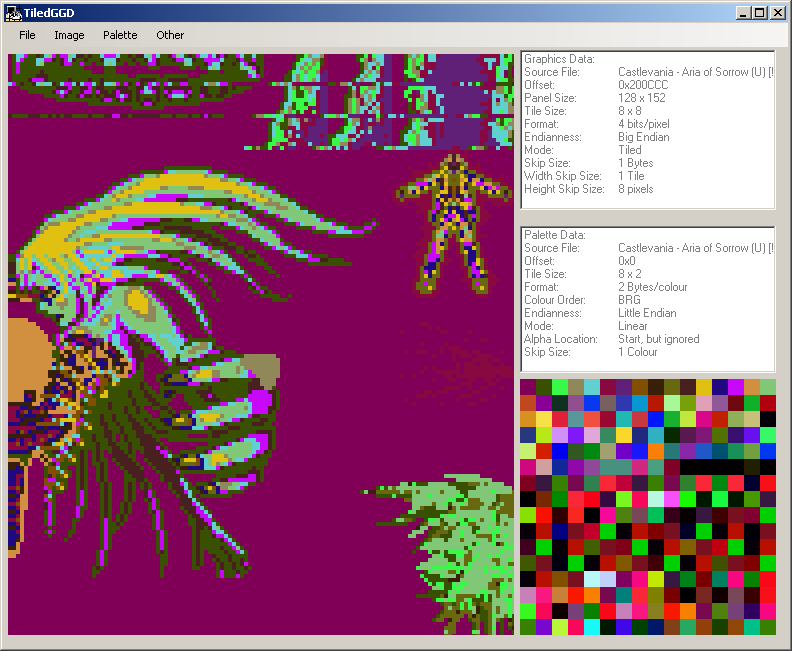
TiledGGD
Game : N/A
Platform : Not Applicable
Author : Barubary
Release date : 18 Jun 2009
Category : Graphics Viewers
OS : Windows
Skill Level : Intermediate
Version : 2.0.3.0
Downloads : 10590
Utility description
A generic graphics dumping tool, based on the elusive program GGDReviews
| Lua fix on 64bit systems | torridgristle | 2018-03-23 | Version 2.0.3.0 |
For the review, TiledGGD is great. It's fast and easy to go through different formats and figure out what something is. There's two flaws with its features, one small which is solved in TiledGGD PE, and one big that you can solve on your own. First, little-endian and big-endian are swapped in the menus. That is, when you select little, you're using big. It works just fine but keep that in mind if you need to use that information in something else. Second, the Lua plugins don't work on 64-bit. It'll give an error message along the lines of System.BadImageFormatException Could not load file or assembly LuaInterface. This can be solved with the program CorFlags which is used to set the 32-bit flag in the PE header so that Windows will properly load the 32-bit DLLs for Lua. The command is CorFlags.exe /32bit+ TiledGGD.exe Since fixing that issue with the 32-bit flag, I've been able to make functioning and satisfyingly simple plugins to quickly load some formats from a game I was looking into, it really made TiledGGD like five times better. | |||
| Pretty good | Videogamer555 | 2011-09-08 | - |
I like that the fact it's added tile support. I DON'T like that it no longer supports linearly arranged image data. I like that it corrected the text glitches in the status window (that showed what the endian was set at etc). I DON'T like that the hot-keys for changing these things are NO LONGER shown in the status window (you just have to memorize it from when you were a user of the old version of GGD). I DON'T like it that now pressing "x" when the main graphics window is selected, NO LONGER changes the bit-mask for 16bit images. These sentences that start with "I DON'T like" represent SIGNIFICANT DOWNGRADED features from (that were actually better in the ORIGINAL GGD program). Therefor I hope the developer of TiledGGD will very soon read these important sentences and make it his/her NUMBER-1 goal to fix these inadequacies in the next version. Other than that though, it's a pretty good program. And hopefully the developer will see that as well by the sentences that start with "I like" regarding various features. | |||
| Excellent tool! | Esco | 2009-12-20 | - |
This thing is way more user friendly than GGD and still WIP! It is also a relatively new tool (created in nov. 2009), and I am using it to view things in my SOTN hack! | |||