 GuestLog in
 GuestLog in
BsPatch
Game : N/A
Platform : Not Applicable
Author : Colin Percival
Release date : 23 Oct 2004
Category : Patching
OS : Windows
Skill Level : Intermediate
Version : 1.0
Downloads : 18410
Utility description
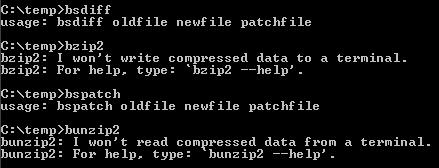
bsdiff and bspatch are command line tools for building and applying patches to binary files. It creates and applies BDF patches.Reviews
| Helpful advice for idiots like me | ggmsmdma | 2024-03-11 | Version 1.0 |
Hi, I don't have much experience with using the command line, and the lack of clear user friendly instrictions made using this a confusing process. I was in the same position as user NotShane for a while, not sure what I was doing wrong. For clear instructions: Extract the zip into the same file with your patch and target file Open the "Prompt" shortcut Type what's instructed in the Readme above This didn't quite work for me at first, there were 2 things I did wrong you can check if you have trouble. First, I opened Prompt as administrator, opening it to C:windowssystem32 If I don't run the Prompt as administrator, the rest of the file path for the folder containing Prompt appears in the command line. The files you're using also can't have any spaces in them. Kinda obvious in hindsight, but it deserves a mention. So for example if you were trying to patch "Tetris (World) (Rev A).gb", you can edit the file name to and shorten it to tetris.gb | |||
| Works Great for Not-Idiots | HippoPilot | 2021-09-08 | Version 1.0 |
Unlike the other joker in this review section who can't read and realised he has to use the COMMAND LINE for this COMMAND LINE tool, the patcher works perfectly as intended. While I do prefer GUI utilities, a simple process like patching a single ROM doesn't really need it as much, especially since the BSDiff (BDF) format isn't commonly used so there's not a lot of need for a quicker process. | |||
| No Clear Instructions | Notshane | 2021-04-22 | Version 1.0 |
Upon extracting this program to patch the Game Boy "Tetris game to the hack "Tetris - Classic Harddrop" found on this website, I came to realize I have absolutely no idea what this wants me to do. All of the ".exe" files load to nothing and I am assuming it wanted me to use "Prompt" to manually type out the commands. I did this and Windows did not recognize it, so I am confused as to why it is not a customized prompt if the instructions at hand appear to only direct me as such. Naturally, Windows would not have a command for this tool. So, that leaves me with a game that has to remain unpatched until further notice due to poor instruction. I am sure this program works as intended, but the description is not user friendly and explains where to start typing that command, just that you should. As such, I do not recommend this to anyone until these concerns are addressed. | |||